Train and Deploy Video LoRAs with LTX
The first open-source video generation model built for LoRA fine-tuning. Train custom characters, styles, and motion, then run locally on-prem.
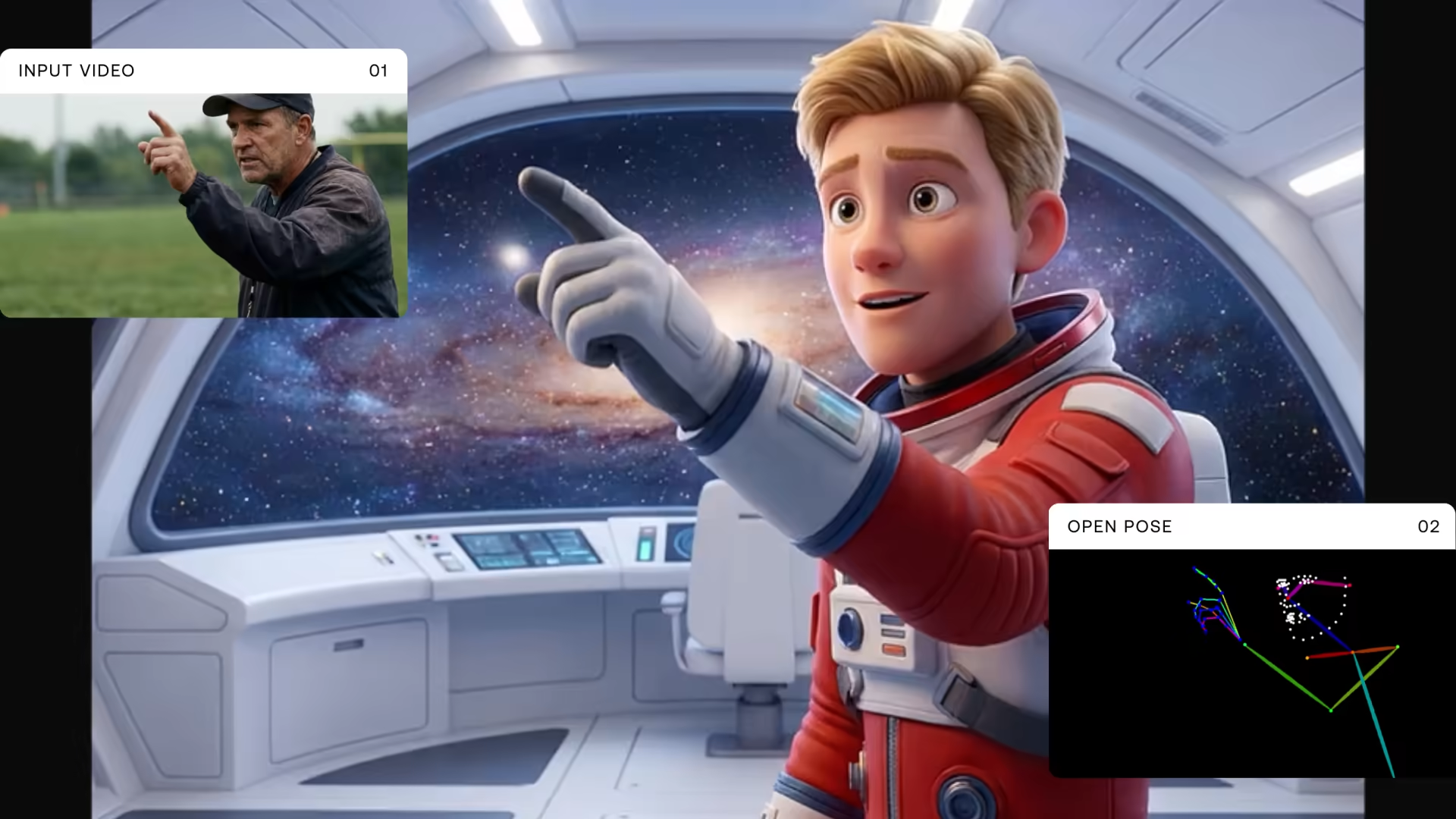






.svg)







Key Capabilities

Video-native LoRA training
Fine-tune on characters, styles, or motion patterns. LTX is built for video from the ground up, not an image model with video bolted on.
Character consistency with IC-LoRA
Train in-context characters that maintain appearance across scenes and generations, making it reliable for any production use case that requires visual continuity.
Deploy anywhere
Load trained LoRAs into ComfyUI workflows or access curated LoRA-powered endpoints on fal.ai and Replicate. Weights are open-source on Hugging Face and integrate into your existing pipeline.
Fine-tune LTX with LoRAs
Train a lightweight LoRA adapter on your own reference material to generate videos with custom characters, branded styles, or specific motion patterns. LTX LoRA training runs on video data natively, not image frames, so output reflects real motion and temporal consistency from the start.


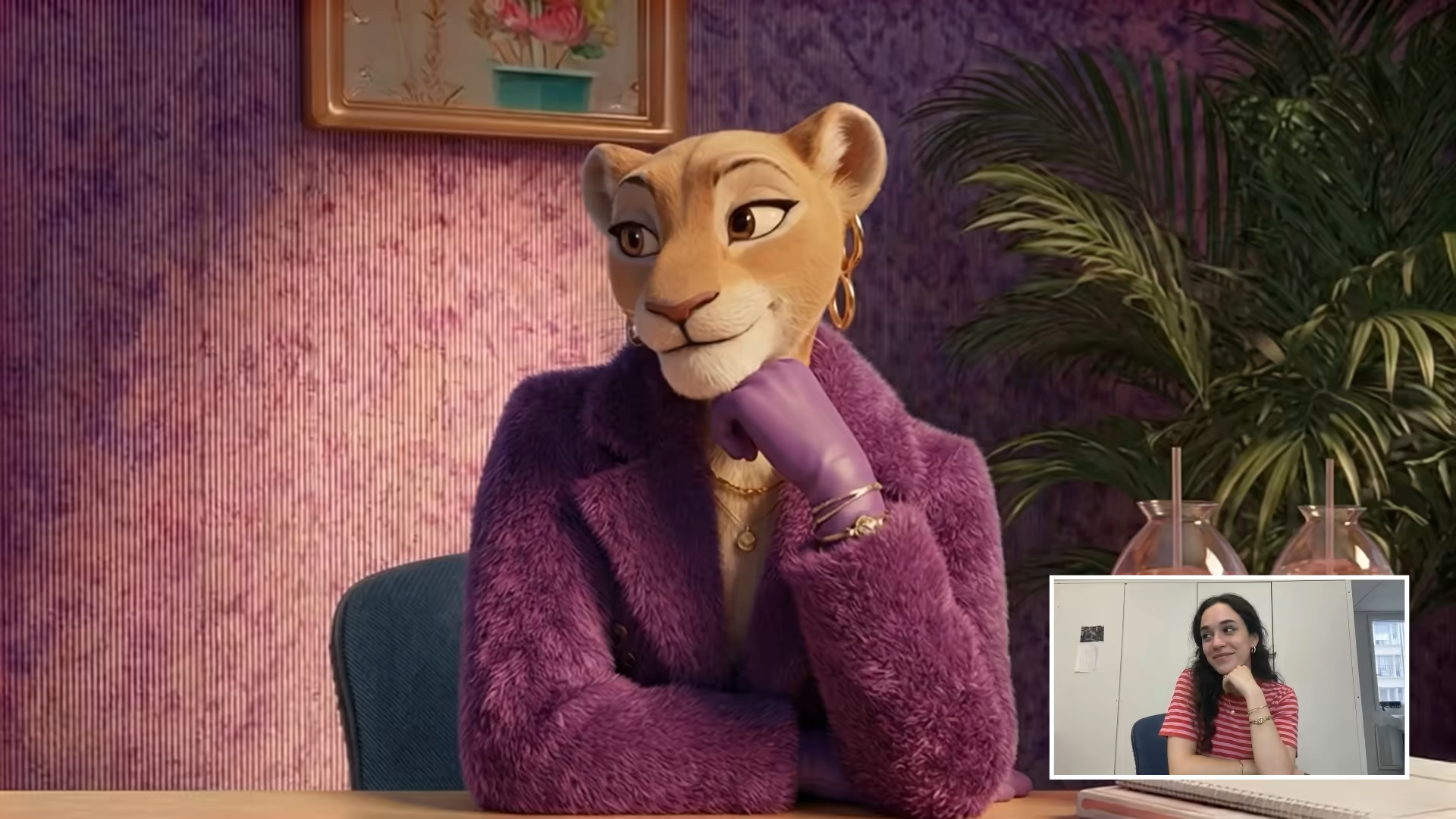
Consistent characters across every generation
IC-LoRA trains a character identity from reference images, then generates videos where that character holds its appearance across scenes, angles, and lighting. The same face, the same features, across every output.

Train custom styles and motion
LoRA training goes beyond character faces. Train branded visual styles including color palettes, lighting, and grain. Define specific motion patterns like camera movements and animation styles. Control how your product or subject looks and moves across every generation.

Deploy via API or ComfyUI
Train a LoRA, then run it via ComfyUI, self-host it locally, or access LoRA-powered endpoints on fal.ai and Replicate. Your weights are yours to export or share. No lock-in, no closed ecosystem.





How LoRA training works
Input:
- Training data (required) — 10 to 50 reference images or short video clips of your subject or style.
- Text captions (optional) — Describe each reference to guide training alignment.
- Training parameters — LoRA rank, learning rate, epochs, batch size.
- Supported formats — PNG, JPEG, WEBP, MP4.
- Training methods — Standard LoRA, IC-LoRA (in-context).
Output:
- LoRA weights file — Compatible with Hugging Face diffusers and ComfyUI.
- Deployment options — ComfyUI workflow, local inference, fal.ai and Replicate endpoints.
- Consistency — Maintains trained subject and style across generations.
- Combinable — Merge multiple LoRAs (character plus style) at inference time.
- Open weights — You own your trained LoRA. Export, share, or self-host.
Designed for real-world deployment
Production-ready LoRA training for enterprise teams building scalable, controllable video generation workflows.

Product teams, AI startups, and developers building AI-powered video features. Add production-grade video generation as a product capability, not a research project. One API, production-ready results, and no custom orchestration.

Brands, agencies, and creative teams producing high volumes of content. Turn existing assets into video at scale. Faster iteration, lower production cost, and more output from what you already have.

Teams that require full control over deployment and data. Run video generation in your own environment. On-premises, no cloud dependency, and full infrastructure ownership.

Platforms powering creative tools with multiple AI models. Upgrade your video output with a best-in-class engine. Improve generation quality, retain users, and differentiate with a model built for production, not prototypes.
How LoRA training works
Input
Train a custom LoRA adapter by providing reference material: images, video clips, or both, that represent your target character, style, or motion.
Technical characteristics:
- Training data (required) — 10 to 50 reference images or short video clips of your subject or style.
- Text captions (optional) — Describe each reference to guide training alignment.
- Training parameters — LoRA rank, learning rate, epochs, batch size.
- Supported formats — PNG, JPEG, WEBP, MP4.
- Training methods — Standard LoRA, IC-LoRA (in-context).
Output
A lightweight LoRA weights file that loads into LTX at inference time via ComfyUI or a local pipeline to generate videos with your trained character, style, or motion.
Technical characteristics:
- LoRA weights file — Compatible with Hugging Face diffusers and ComfyUI.
- Deployment options — ComfyUI workflow, local inference, fal.ai and Replicate endpoints.
- Consistency — Maintains trained subject and style across generations.
- Combinable — Merge multiple LoRAs (character plus style) at inference time.
- Open weights — You own your trained LoRA. Export, share, or self-host.
Retake - Video Editing
Refine only the parts that need adjustment - no need to regenerate the whole video. Perfect for fixing scenes, adjusting elements, or improving localized areas.
- Currently available in 1080p only.
- Billed per second of input video.
Text-to-Video
Optimized for higher fidelity and increased temporal stability. Best for production-ready output and final renders.
- Deal for client-facing content or polished deliverables.
- Higher compute level → higher visual quality.
FAQs
What is LoRA training?
LoRA (Low-Rank Adaptation) is a fine-tuning technique that lets you customize a pre-trained model by training a small set of additional weights. Instead of retraining the entire model, LoRA trains a lightweight adapter that modifies the model's behavior, enabling custom characters, styles, or motion patterns with minimal compute.
Why use LTX for LoRA training instead of Stable Diffusion or Flux?
LTX is built for video generation from the ground up. Stable Diffusion and Flux are image-first models. Their video capabilities are extensions, not core architecture. LTX's LoRA training operates on video data natively, producing better temporal consistency, motion quality, and character continuity across frames.
What is IC-LoRA?
IC-LoRA is an in-context LoRA training method for maintaining character identity across video generations. Train on reference images of a character, then generate videos where that character holds consistent appearance across different scenes, angles, and lighting conditions.
How do I deploy a trained LoRA?
Export your LoRA weights and load them into a ComfyUI workflow or run local inference directly. For cloud deployment, fal.ai and Replicate host LoRA-powered LTX endpoints. Weights are standard Hugging Face diffusers format. You own them.
