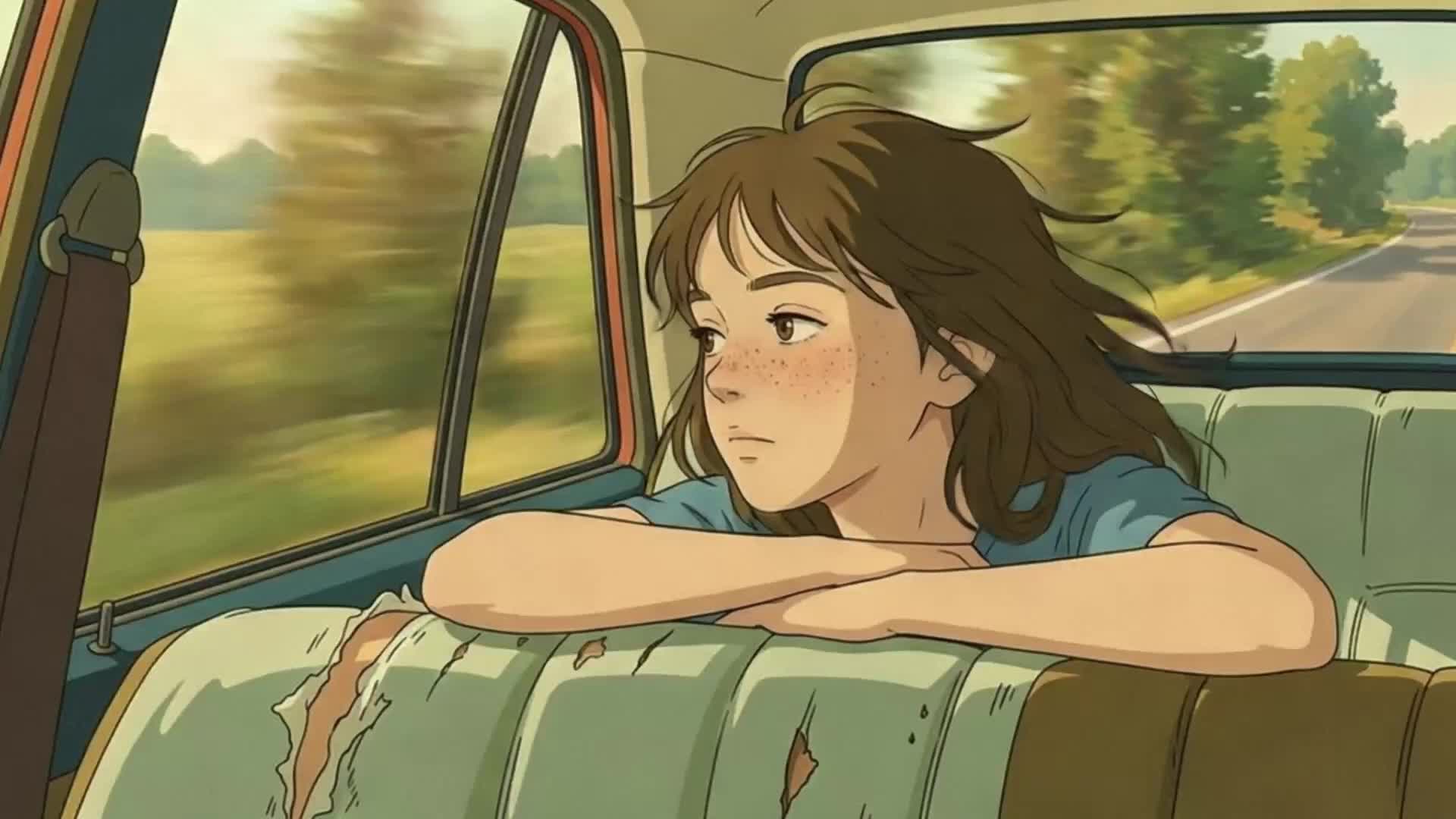
- LTX-2 can generate convincing 2D animation styles — flat illustration, cel-shaded cartoon, anime, and storybook — by combining explicit style vocabulary in prompts, image conditioning to lock the style from frame one, and IC-LoRA for systematic style transfer.
- 2D animation styles produce fewer temporal artifacts than photorealistic output because simpler geometry and flat color reduces the model's burden on complex physics like skin deformation and fabric dynamics.
- Keep clips short (2–4 seconds) to prevent style drift toward photorealism, use the dev model for final quality output, and reserve IC-LoRA workflows for the distilled checkpoint exclusively.
AI video generation defaults to photorealism. That is what the training data emphasizes, and it is what the models produce when you write a generic prompt. But diffusion models are not limited to realistic output. With the right prompt vocabulary, image conditioning, and generation settings, you can produce convincing 2D animation styles: flat illustration, cel-shaded cartoons, anime-inspired motion, and storybook aesthetics.
This guide covers prompt techniques, conditioning strategies, and pipeline configuration for generating non-photorealistic video with LTX-2. The same principles that make photorealistic output look natural can be redirected to make stylized output look intentional.
Why 2D Animation Styles Work Well with AI Video Models
Simpler Geometry Means Fewer Artifacts
Photorealistic video generation requires the model to handle complex physics: skin deformation, fabric dynamics, reflections, and fine-grained texture detail. 2D animation sidesteps most of these challenges. Flat art uses solid colors and clean edges. Cartoon styles have exaggerated proportions that forgive spatial inconsistency. The result is that AI-generated 2D animation often shows fewer temporal artifacts than photorealistic output. The simpler the visual style, the more consistent the model can keep it across frames.
The Creative Opportunity
Studios, indie creators, and social media teams increasingly use AI for animation where traditional frame-by-frame work would be too expensive or slow. The constraint is not whether AI can produce animation, but whether you can control the style precisely enough for production use.
Prompt Techniques for 2D Animation Styles
For animation styles, add explicit style vocabulary that overrides the model's photorealistic default. Start with the visual style declaration, then describe the action.
Flat Illustration and Motion Graphics
Flat illustration uses solid colors, minimal shading, and clean geometric shapes. To push the model toward this style, lead with vocabulary that describes the rendering approach, not just the subject.
Effective style cues: "flat vector illustration style," "solid color fills with clean outlines," "motion graphics aesthetic," "geometric shapes," "no gradients, no shadows," "minimalist design," "bold primary colors on a flat background."
Example prompt: "Flat vector illustration style. A woman in a yellow jacket walks briskly across a solid teal background. Clean black outlines define her silhouette. Solid color fills, no gradients, no shadows. Her arms swing in an exaggerated cartoon rhythm. Small geometric shapes float behind her as she moves. The camera holds steady in a centered medium shot."
The specificity of "no gradients, no shadows" is important. Without explicit negation, the model may add subtle shading that breaks the flat aesthetic.
Cartoon and Cel-Shaded Styles
Cartoon styles range from classic hand-drawn animation to modern cel-shaded 3D. The key vocabulary differs from flat illustration because cartoon styles typically include shading, just in a stylized form.
Effective style cues: "cartoon animation style," "cel-shaded rendering," "bold outlines with cell shading," "Saturday morning cartoon aesthetic," "comic book coloring," "exaggerated expressions and proportions," "limited animation framerate."
Example prompt: "Cartoon animation style with bold black outlines and cel-shaded coloring. A dog runs across a grassy park, tongue out, ears flopping with exaggerated bounce. Bright saturated colors. The background scrolls horizontally in a classic side-scrolling animation style. Simple puffy clouds in a flat blue sky. The camera tracks the dog from a low angle."
Including "exaggerated" as a modifier gives the model permission to break realistic proportions, which is exactly what cartoon animation requires.
Anime and Manga-Inspired Motion
Anime has distinct visual conventions: large expressive eyes, detailed hair movement, dramatic speed lines, and specific camera techniques like rapid zooms and impact frames.
Effective style cues: "anime style animation," "Japanese animation aesthetic," "detailed anime eyes and hair," "speed lines," "dramatic lighting with rim highlights," "sakura petals," "dynamic action poses."
Example prompt: "Anime style animation. A young swordsman in a dark cloak draws a katana in a rapid motion. His hair whips forward with the movement. Dramatic rim lighting outlines his silhouette against a glowing sunset. Speed lines streak across the frame during the draw. Cherry blossom petals drift slowly in the background. Close-up shot, slight camera push in."
Anime style benefits from camera direction in the prompt. Anime uses specific cinematographic conventions (dutch angles, rapid push-ins, static wide shots with slow pans) that the model can replicate when described explicitly.
Children's Book and Storybook Animation
Storybook styles use soft textures, muted colors, and gentle motion. The visual language is warm and painterly rather than crisp and geometric.
Effective style cues: "watercolor illustration style," "children's book aesthetic," "soft painted textures," "muted pastel palette," "gentle hand-drawn lines," "storybook illustration come to life," "soft ambient lighting."
Example prompt: "Watercolor children's book illustration style. A small rabbit hops slowly through a meadow of soft purple and yellow wildflowers. Painted textures visible in the background. Muted pastel colors with gentle blending. Warm golden hour lighting. The rabbit pauses and twitches its nose. Camera holds steady in a wide shot. Gentle, calming motion throughout."
The phrase "gentle, calming motion" is a pacing cue. Storybook animation moves slowly and deliberately, and including this prevents the model from generating the kind of energetic motion that works for cartoons but feels wrong for this style.
Image-to-Video for Locking Animation Style
Using Reference Frames
Text prompts alone may not consistently produce the exact style you need. Text-to-video generation interprets style vocabulary probabilistically, so "flat illustration" might produce slightly different interpretations across generations.
Image-to-video conditioning solves this. By providing a reference image in the style you want, you lock the visual language from the first frame. The model maintains that style throughout the clip. All LTX-2 pipelines support image conditioning through the images parameter, which places the encoded image at a specified frame position with a configurable strength.
Generate or create your first frame in the target style using a text-to-image tool or by hand. Then use that frame as the conditioning input. The prompt describes the action and motion, while the image handles the visual style.
IC-LoRA for Style Transfer to Animation
For more systematic style control, IC-LoRA (In-Context LoRA) enables video-to-video transformations that can transfer a reference style onto new content. IC-LoRA learns from paired videos: a reference showing the style, and a target showing the desired output. Once trained, it applies the learned transformation to new inputs.
Important constraint: ICLoraPipeline can only be used with the distilled model checkpoint. The dev model is not supported for IC-LoRA inference, so plan your animation IC-LoRA workflows around the distilled variant.
For 2D animation, train an IC-LoRA on paired photorealistic and stylized versions of the same footage. The model learns the mapping from realistic to animated and applies it to any new input. LTX-2 ships with four pre-trained IC-LoRA adapters you can use as drop-in starting points: Union-Control (unified control, 22b), Motion-Track-Control (motion tracking, 22b), Detailer (detail enhancement, 19b), and Pose-Control (pose mapping, 19b). Note that the Detailer and Pose-Control adapters are 19b models, which may have compatibility constraints with the current 22b checkpoints.
If you need edge-preserving control specifically (for example, to keep compositional outlines stable while restyling), you can train your own IC-LoRA using Canny edge maps as reference conditioning. The training repo includes a compute_reference.py script that generates Canny edge maps from input footage. Note that this is a training step, not a pre-trained adapter you can load directly.
Generation Settings for Animation
System Prerequisites
Running LTX-2 locally requires CUDA 13+ and an Nvidia GPU with 80GB+ VRAM (or 32GB with FP8 quantization for distilled variants). Earlier CUDA versions are not supported.
Resolution and Aspect Ratio
Animation styles are more forgiving of resolution than photorealistic content, but aspect ratio matters for distribution. LTX-2 supports variable resolutions, with the two-stage pipelines providing 2x spatial upsampling on top of the base generation resolution. Higher resolutions require GPUs with sufficient VRAM (80GB+). For stylized content, the two-stage pipelines (TI2VidTwoStagesPipeline or TI2VidTwoStagesHQPipeline) provide the best quality. The HQ variant uses a second-order sampler (res_2s) that typically allows fewer steps for comparable quality, which can benefit flat-art styles where fine-grained sampler differences are visible.
Duration and Frame Pacing
Traditional 2D animation often runs on "twos" (holding each drawing for two frames) or "threes." AI-generated video runs at a continuous framerate, so achieving that look requires post-processing or prompt-level pacing cues. Match generation duration to the real-world timing of the action. A head turn takes 1-2 seconds. A walk cycle takes 3-4 seconds. Generating longer clips stretches motion unnaturally.
One technical constraint to plan around: the Video VAE requires frame counts that satisfy (F-1) % 8 == 0. At 25 fps, valid durations include ~1.0s (25 frames), ~1.3s (33 frames), ~1.6s (41 frames), ~2.0s (49 frames), ~2.3s (57 frames), ~2.6s (65 frames), and ~3.2s (81 frames). Plan your animation timing around these valid frame counts so the pipeline does not need to trim or pad your output.
Dev vs. Distilled for Animation
LTX-2 offers dev and distilled checkpoints. The dev model uses more inference steps and supports classifier-free guidance (CFG) for fine-grained control. The distilled model uses fewer steps for fastest inference.
For text-to-video and image-to-video animation work where style consistency matters, the dev model with moderate CFG (2.0 to 5.0) offers more control over style prompt adherence. A practical workflow is to iterate with the distilled model to find the right prompt, then generate the final output with the dev model. Exception: if your workflow uses ICLoraPipeline, stay on the distilled checkpoint throughout — IC-LoRA does not support the dev model.
Common Pitfalls and How to Avoid Them
Style Drift Mid-Generation
The model may start in a consistent style but gradually drift toward photorealism over a longer clip. To counter this, keep clips short (2-4 seconds) and regenerate rather than generating long continuous shots. Use image conditioning to anchor the style at frame 0, and reinforce style vocabulary in your prompt.
Unwanted Photorealism
If the model reverts to realistic rendering despite style prompts, make the style declaration the very first phrase in your prompt. Add explicit negations: "not photorealistic," "no realistic textures," "2D only." Use image conditioning with a strongly stylized first frame. The visual anchor of a non-photorealistic image is often more effective than text-only style control.
Conclusion
AI 2D animation generation with LTX-2 comes down to three levers: prompt vocabulary that explicitly declares the visual style, image conditioning that locks the style from the first frame, and IC-LoRA that applies learned style transforms for maximum consistency. Pair these with appropriate generation settings (resolution, model variant, guidance parameters) and you have a repeatable workflow for flat art, cartoon, anime, and illustrated animation styles.
For more on writing effective prompts across all styles, see the LTX-2.3 Prompt Guide. For open-source model variant details, see the dev and distilled checkpoint descriptions in the LTX-2 repository README. For the hosted API model variants (Fast and Pro), see docs.ltx.video.
Related posts


