
Not all storyboard programs are created equal. In fact, the best storyboard software for one creator might be the wrong fit for another. Whether you're building a pitch deck, mapping an animated sequence, or developing a narrative feature, choosing the right tool can shape the success and efficiency of your production process. This is why understanding the options that are available to you when you’re choosing your storyboard software in 2026 is an essential part of the development process.
In this guide, we’ll explore the top storyboarding tools available today—free and paid, traditional and AI-powered. We’ll break down each one’s strengths, limitations, and ideal use cases, helping you find the best program for storyboarding based on your workflow!
What to Look for in a Storyboarding Tool
As mentioned above, choosing the best program for storyboarding depends on your creative goals and the type of project you’re producing. Whether you're working solo or with a full production team, knowing what to look for in a tool can be the difference between a smart investment and a missed opportunity. Today’s solutions blend user-friendly interfaces with powerful collaboration, export, and integration capabilities.
Here’s what to evaluate when selecting software to create storyboards:
Ease of Use: Drag-and-Drop Storyboarding
For most creators, a fast and intuitive interface is critical to the storyboarding process—especially when you're balancing deadlines, teams, or evolving ideas. That’s why many of the best storyboard software options offer drag-and-drop functionality, allowing you to rearrange frames and build visual sequences without needing to draw everything from scratch. This ease of use accelerates ideation and lowers the barrier to entry, making it easier to focus on storytelling instead of wasting time learning how to use the tools and software itself. By contrast, software that incorporates hand-drawn or advanced vector tools may appeal to illustrators or animators with technical backgrounds.
Precision Tools: Shot Labels, Camera Direction & Annotations
When you're working with directors, cinematographers, or editors, visual clarity is everything. The ability to label shots, annotate frames, and map out camera direction makes it easier to align your team around a shared creative vision. The most effective storyboard programs offer these tools natively—enabling you to make creative decisions as you go. Whether you're tracking a dolly shot or blocking character movement across frames, precision tools turn storyboards into full previsualization maps.
Collaboration: Real-Time Feedback & Version Control
In today’s remote-first world, cloud-based multi-user support is essential for creative teams. When emails and time-stamps are bouncing back and forth, notes often become lost in translation. This is why using software that includes built-in collaboration tools ensures that everyone is truly working from the same version. Tools like real-time commenting, version history, and sharing keep everyone aligned without having to jump between platforms.
AI-Powered Features: From Script to Scene
Today’s best storyboard software includes AI-powered tools that can generate scenes, populate actor libraries, and build visual sequences from simple prompts. Platforms like LTX Studio include script-to-storyboard functionality in seconds—using natural language to auto-generate frames, entire sequences, and characters. This reduces manual setup and accelerates pre-production, especially for fast-moving teams or solo creators.
Export Capabilities: Production Ready Exports & Integrations
Comprehensive export options shape how your storyboards can be used beyond the pre-production phase. Look for tools that support PDF and high-resolution image exports, MP4 animatics, timeline syncing, or direct handoffs into animation and VFX pipelines.
Seamless compatibility with post-production software, cloud storage, and editing tools means fewer bottlenecks and faster handoffs.
Ranked and Reviewed: The best programs for storyboarding 2026
Even with a clear list of features to look for, choosing the best storyboard software can still feel overwhelming. That’s why we’ve curated this ranked breakdown of top tools—each one selected for its unique strengths, user base, and ideal use cases. This list will help you find the right fit based on your workflow, skill level, and goals. For each tool, we will outline key pros and cons to help you quickly evaluate what fits your creative process.
1. LTX Studio: Best for AI Script-to-Storyboard Automation
What sets LTX Studio apart as a storyboard program is its ability to take you from idea to fully visualized sequence, all using AI-powered script-to-scene tools. Whether you’re starting with a loose concept or a finalized script, the platform adapts to your process, automating early storyboarding without compromising creative control.
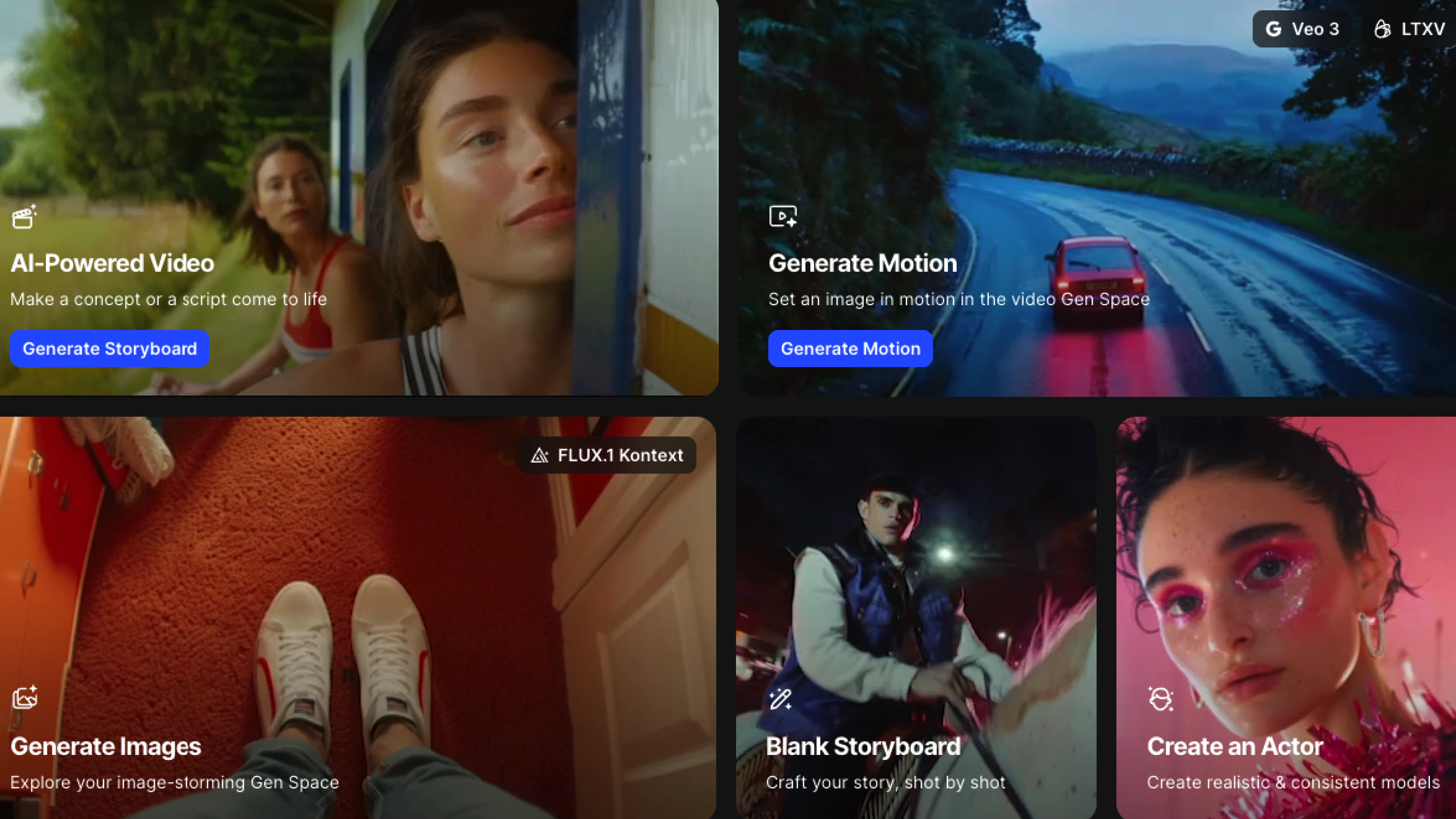
Part of what makes LTX Studio's tools optimized for filmmakers and creatives is that you can build and create from what you already know. For instance, if you have an actor that you’ve already built out, you can upload reference images in the Actor Library to create your own character. When you’re ready to add motion to your storyboard frames, you can open the Motion Editor workspace, or click the “Generate Motion” button on your frame. This kind of ease of use allows filmmakers to turn static images into pre-visualized shots—integrating camera angles, movement, and duration in just a few clicks. When you’re ready to share or finalize your work, you can download individual sequences or the entire storyboard as a video.
For filmmakers used to handing off their vision to specialized departments, this level of access is game-changing. With LTX Studio, you can create storyboards that include camera angles, character blocking, and pacing—long before production even begins.
Pros of LTX Studio:
- Enables AI-powered script-to-storyboard automation, helping you visualize from the very first idea through the finalized video
- Lets you work from reference images, actor libraries, and prompts—streamlining the creative production process
- Integrates camera movement, duration, and shot design directly into the storyboard via the Motion Editor
- Allows you to share and download full projects with visuals and motion, ideal for collaboration or handoffs
Cons of LTX Studio:
- Currently optimized for users who are comfortable working in AI-assisted creative environments
- Requires a structured workflow, so this tool may be less intuitive for quick sketching
2. Storyboarder by Wonder Unit: Best Free Option
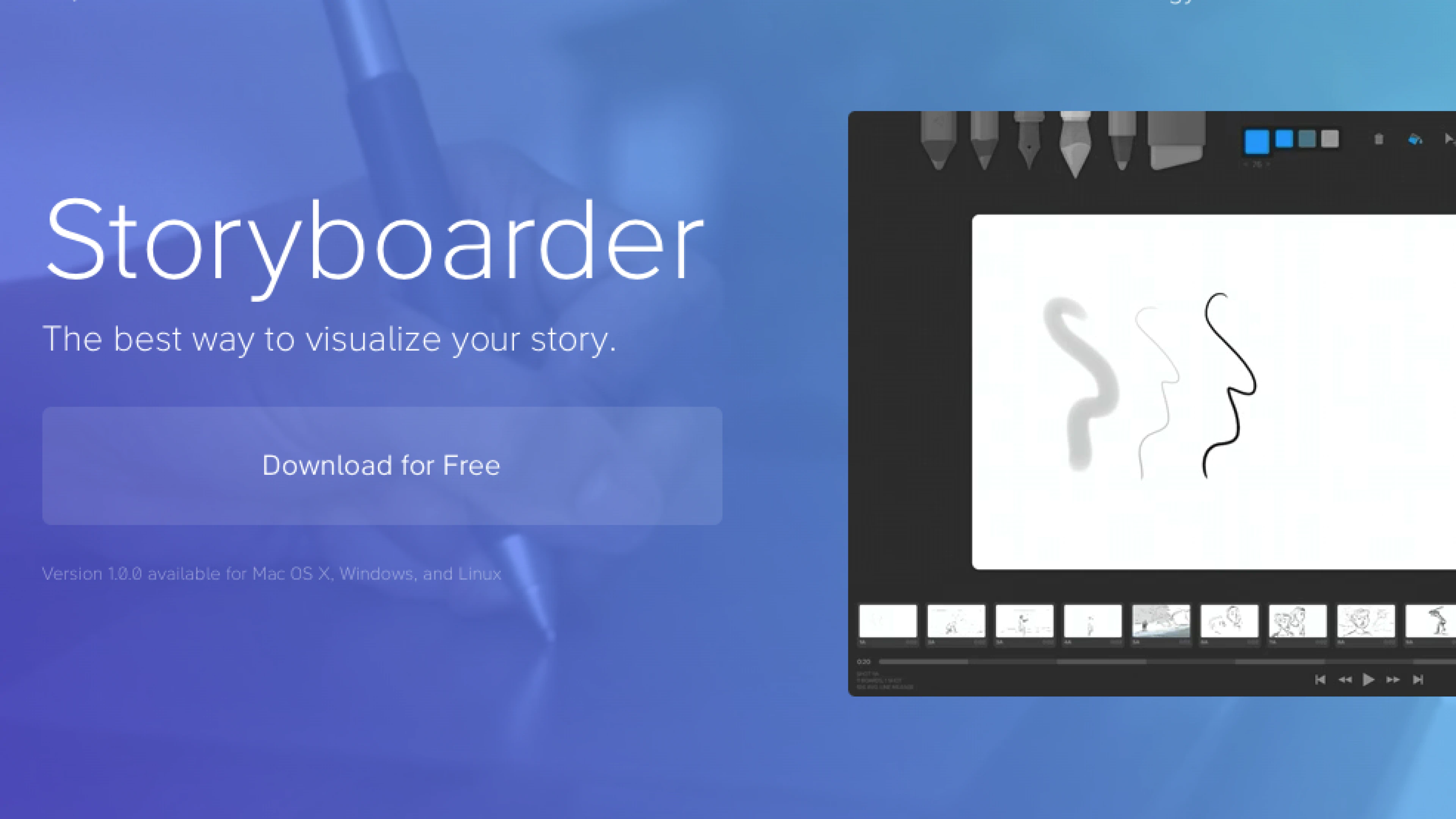
Storyboarder is an open-source, free tool built for creators who don’t need AI integrations in their storyboarding workflow. The platform includes simple drawing tools, animatics, and basic figures—giving users multiple ways to communicate their visual ideas. While it excels in accessibility and ease of use, users looking for advanced export options or working on lower-spec devices may encounter limitations.
Pro of Storyboarder:
- Offers a robust free option with no sign-up or subscription required
- Features a straightforward interface that’s well suited for beginners
- Supports quick addition and rearrangement of storyboard panels, streamlining your workflow
Cons of Storyboarder:
- Support is limited to community threads or GitHub, and feature requests may not align with the tool’s design priorities
- Users may encounter lag or crashes on lower-spec hardware
- Users must manually draw or import artwork, which can slow down workflow or require more artistic skill
3. Boords: Best for Team Collaboration
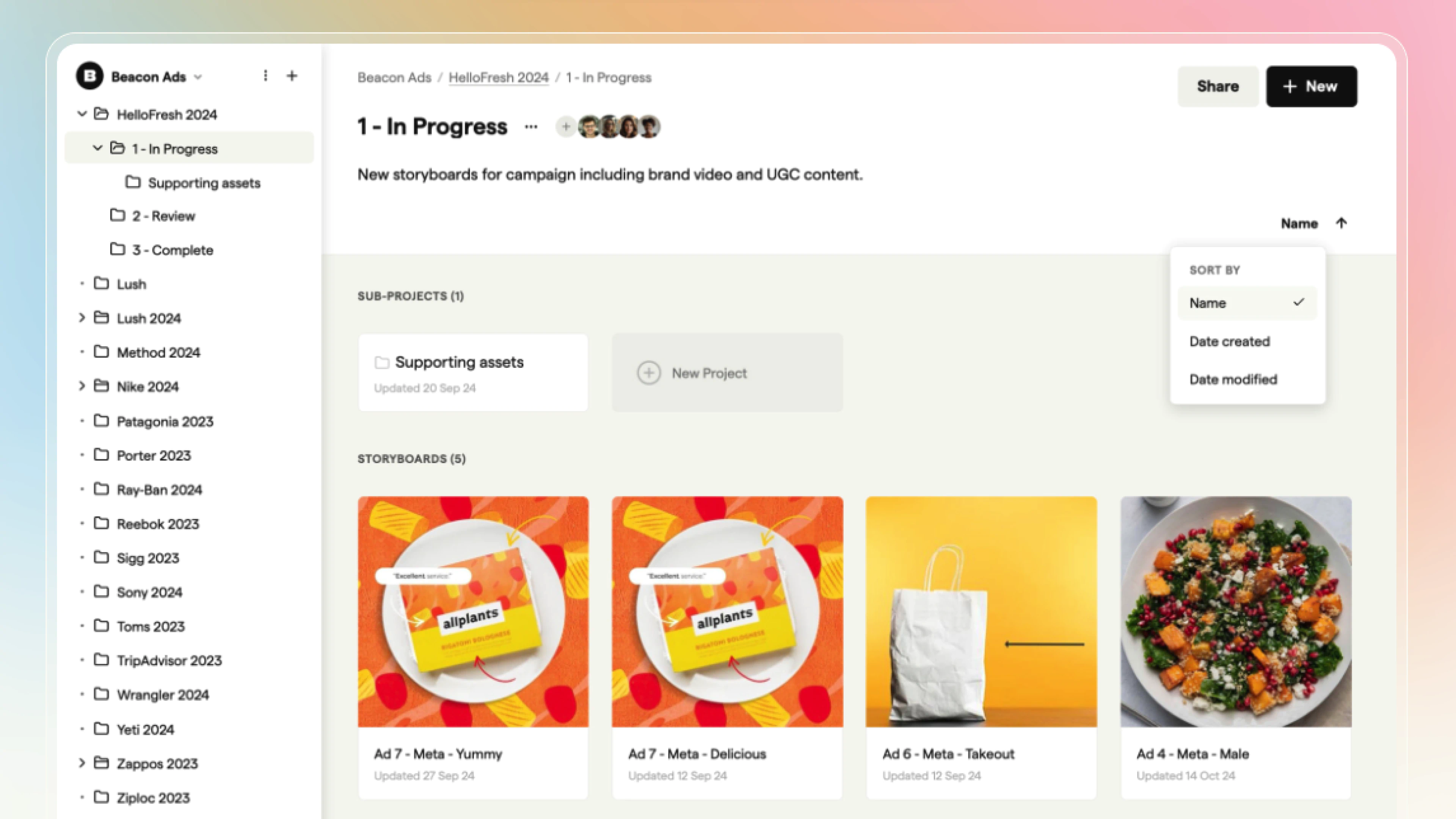
Boords brings seamless web-based collaboration to the forefront. With its intuitive drag-and-drop interface and live script syncing, it’s built for teams working in real time—especially ad agencies and production companies juggling multiple projects.
Pros of Boords:
- Clean drag-and-drop UI that's easy to onboard across teams
- Real-time script syncing and live commenting enhance collaboration
- Built-in animatic generation supports previsualization without needing external tools
Cons of Boords:
- No AI-assisted tools for auto-generating frames or visual elements
- Advanced features (like team collaboration or export options) are gated behind paid plans
- Limited drawing capabilities—best suited for teams uploading pre-made images or using placeholder sketches
4. FrameForge: Best for 3D Storyboarding
FrameForge is built for directors and DPs who need more than static panels. As a tool for mapping out scenes with technical precision, it’s designed for large-scale productions that demand detailed planning and on-set accuracy.
Pros of FrameForge:
- Includes accurate camera and lens simulation for detailed shot planning
- Supports advanced blocking and staging with 3D props and environments
- Enhances previsualization with tools like depth-of-field previews and motion paths
Cons of FrameForge:
- Steep learning curve for new or non-technical users
- Resource-heavy and prone to lag on lower-spec machines
- No built-in drawing tools for quick sketching or rough boards
5. Canva Storyboard Templates: Best for Beginners & Marketers
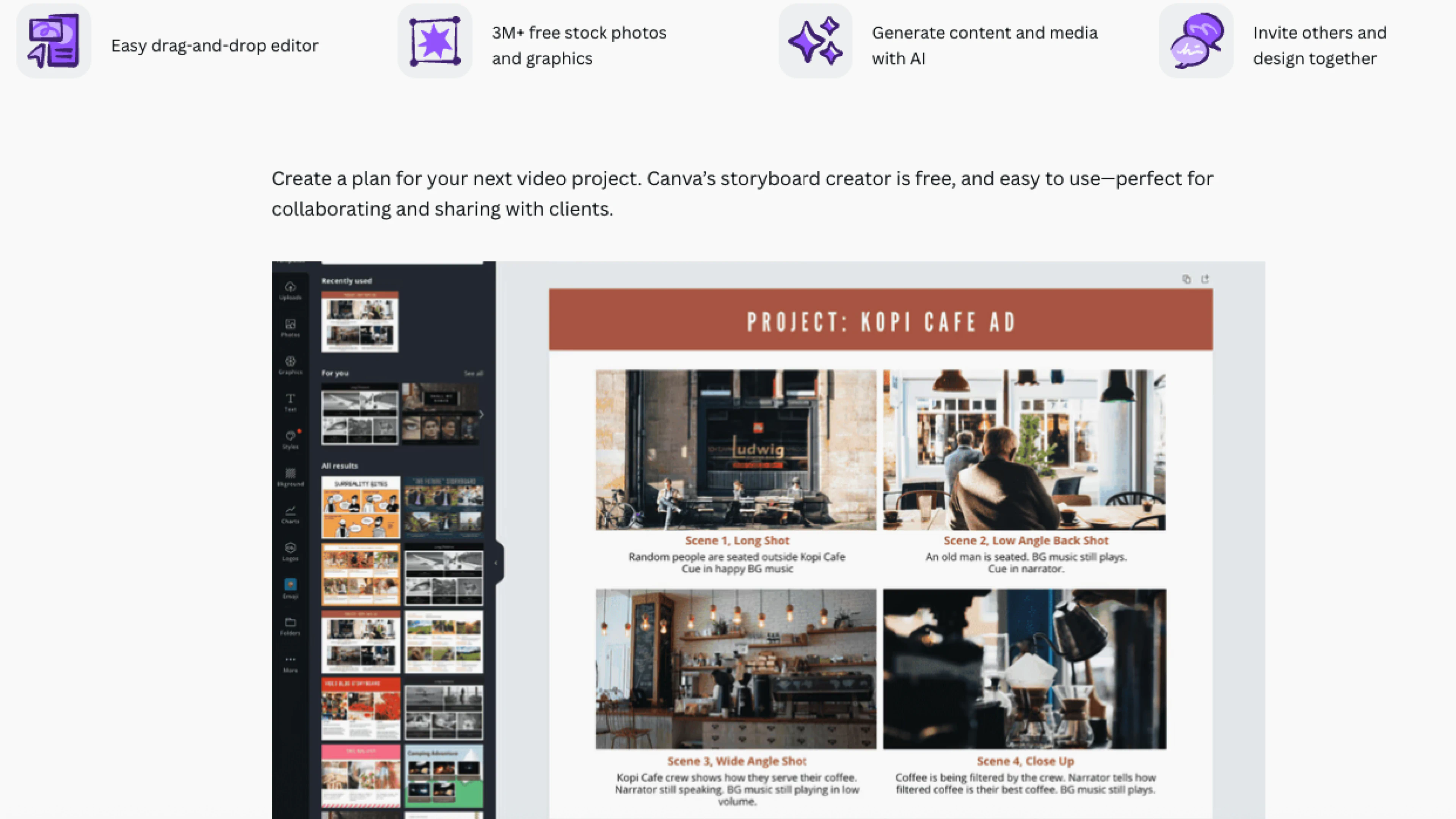
Canva offers a low-barrier way for marketers and new filmmakers to create graphic-first storyboards with templates and design blocks. Canva’s drag-and-drop interface and built-in sharing tools make it a great solution for early-stage ideation, but it may not be the best fit for more detail-oriented production work.
Pros of Canva Storyboard Templates:
- Includes a library of customizable templates
- Supports easy collaboration with real-time editing and sharing features
- Intuitive tools require minimal technical skills
Cons of Canva Storyboard Templates:
- Lacks advanced features needed for complex film productions
- Limited drawing capabilities
- Requires a stable internet connection, as it's primarily web-based
6. Toon Boom Storyboard Pro: Best for Animation Professionals
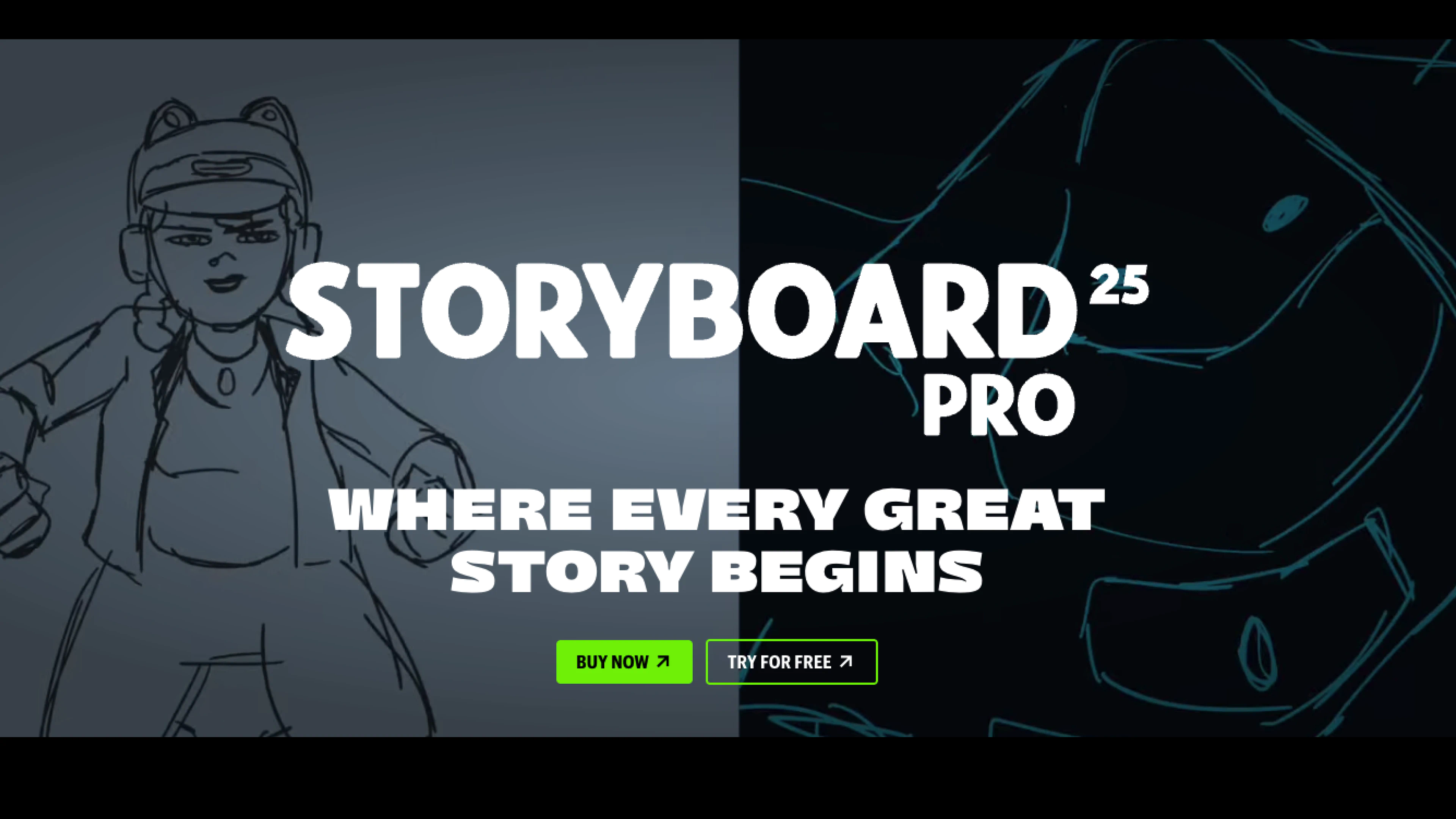
Toon Boom Storyboard Pro is the industry standard for animation studios, offering a comprehensive storyboard solution. With integrated drawing, audio tracks, and animatics, it supports scene timing, camera moves, and complex transitions. Supporting both hand-drawn and CGI workflows, it has a steep learning curve and is not the best solution for creators without prior illustration and storyboarding experience.
Pros of Toon Boom Storyboard Pro:
- Includes drawing tools, audio tracks, and animatic capabilities
- Supports precise scene timing, camera movements, and complex transitions
- Accommodates both hand-drawn and CGI workflows
Cons of Toon Boom Storyboard Pro:
- Requires a significant time investment for new users due to the steep learning curve
- Supports high-end productions, but its cost can be prohibitive for individual users or small studios
- Enhances workflow within the Toon Boom ecosystem, but offers limited compatibility with non-Toon Boom file formats
7. Milanote Best for Moodboarding and Flexible Planning
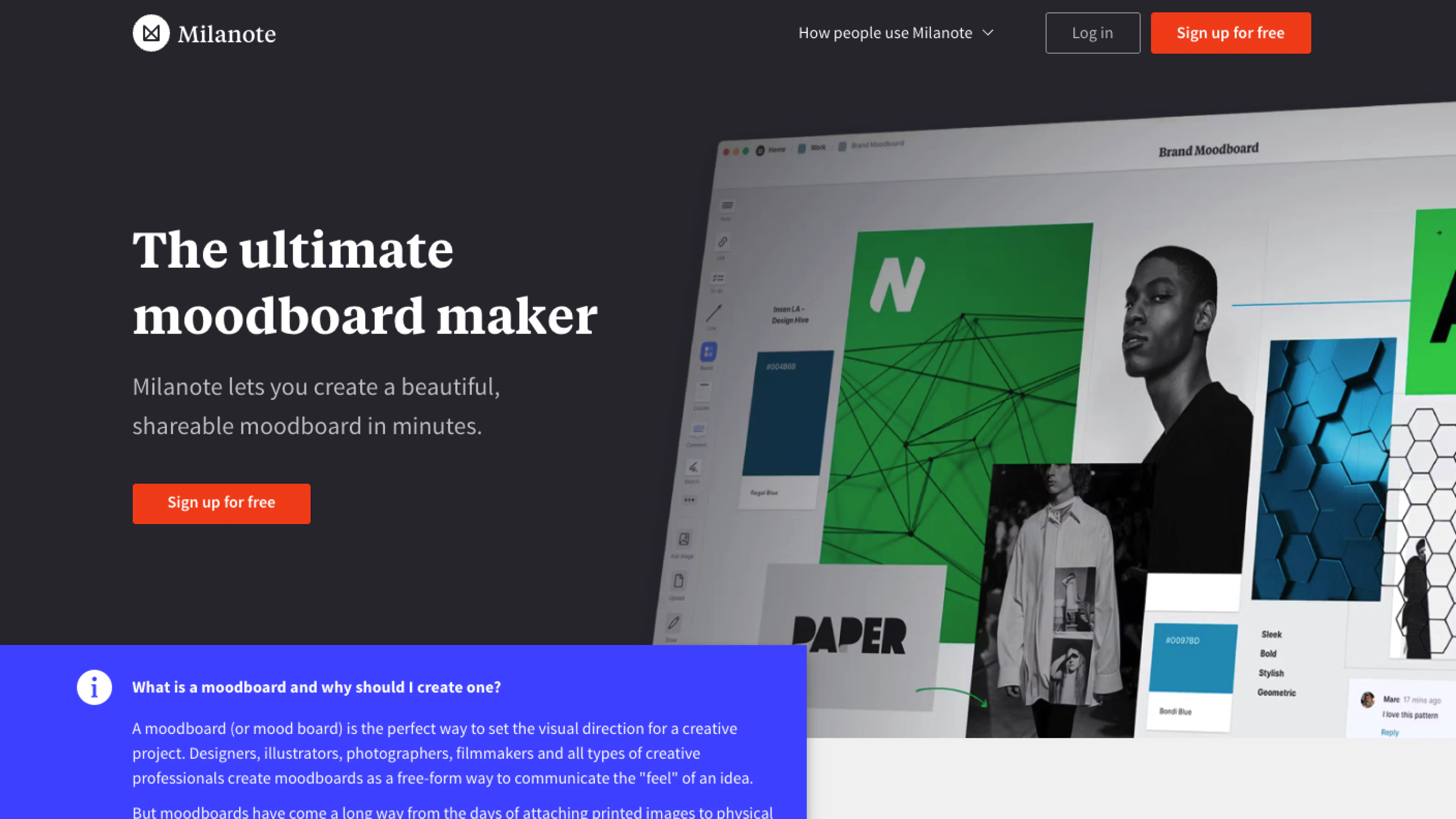
While not a pure storyboarding tool, Milanote is a great option for moodboarding and early-stage ideation. Milanote is designed for creatives to organize ideas, projects, and inspiration into shareable boards.
Pros of Milanote:
- Includes templates for moodboards, storyboards, and creative briefs
- Allows integration of various media types, including images, videos, and links
- Includes real-time editing, commenting, and sharing features
Cons of Milanote:
- Limitations in offline functionality, requiring an internet connection for full access
- Lacks advanced features like version history and integrations with other tools
- Enhances visual organization but may become cluttered with large or complex projects, affecting usability
Free vs. Paid Storyboard Software
Free storyboard tools are a good fit for simple projects, early-stage ideas, or creators just getting started on their project journey. Storyboarder, Canva, and Milanote all offer free versions, but they often lack certain features that allow collaboration or production-ready outputs.
While paid software introduces more advanced tools, there are still major trade-offs. For instance, Toon Boom Storyboard Pro is a leading option for animation studios, but it comes with a steep learning curve and a high price point. It’s powerful—but not always accessible, especially for new filmmakers.
LTX Studio offers a more flexible middle ground. It supports beginners and professionals alike, with a streamlined interface and AI tools that speed up the workflow from character creation to previsualization. Unlike other platforms, LTX Studio integrates AI across the full workflow, helping creators move quickly while still maintaining visual and narrative control. For teams looking to scale their creative process—or individuals exploring professional production methods—it's a practical, forward-looking option.
How to Choose the Right Software for your Workflow
The right storyboard software depends on where you are in your process. Tools like Canva or Milanote work well for early-stage ideation, especially if you're assembling visual references or pitching simple concepts. If you're creating a more precise and technical plan, platforms like Toon Boom or FrameForge may offer the depth you're looking for—but with a steeper learning curve and a higher price point.
LTX Studio is a strong option if you're looking for a balance between a user-friendly interface and powerful, production-ready tools. It supports both early ideation and professional workflows, with AI-powered tools that streamline the process from script to polished video.
When you offload the time-consuming parts of pre-production by using an AI-powered workflow, you may find the space to explore new directions and the freedom to notice ideas you might’ve missed before.
Start by creating your storyboard now and find out what you’ve been missing!
Related posts