
Storyboarding is the foundation of visual storytelling. Whether you're crafting a film, developing a brand campaign, or pitching a creative concept, learning how to create a storyboard helps you turn abstract ideas into structured visuals—ensuring clarity and alignment across teams and stakeholders.
In this guide, we'll explore what a storyboard is, the essential elements that make it effective, and how LTX’s new Storyboard Generator transforms the process with AI-powered automation that delivers structured, production-ready storyboards at 5x the speed.
What Is a Storyboard?
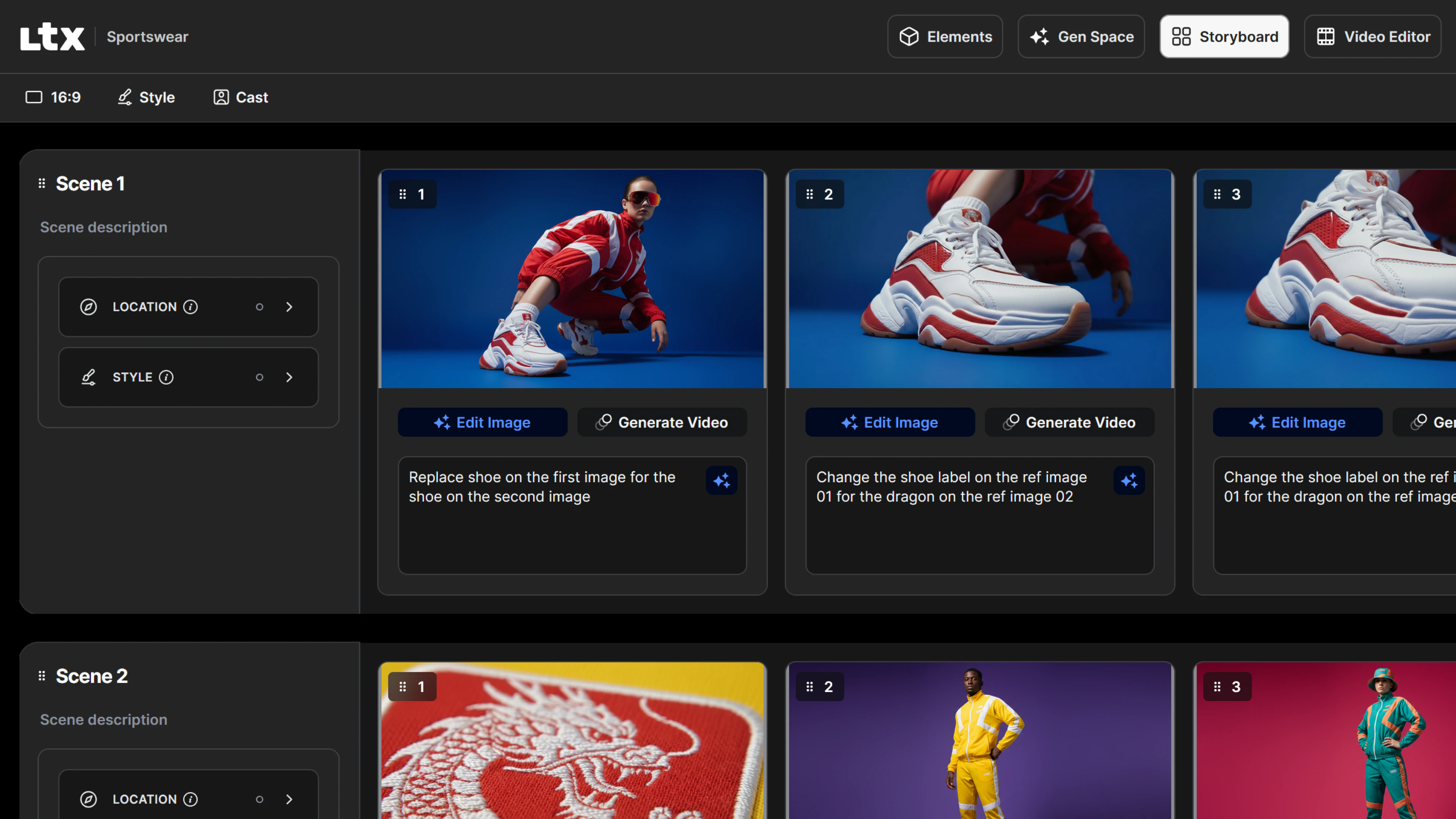
A storyboard visually maps out your story, scene by scene. It's more than just sketches — it's a planning tool that helps creators convey their vision effectively. A detailed storyboard includes the overall flow of an idea, camera angles, actions, and dialogue. Essentially, a good storyboard is the blueprint for your project. By learning how to make a storyboard, you'll be able to communicate your ideas clearly to everyone involved in the production process.
Elements of a Storyboard
The basic components of a storyboard work together to tell a cohesive story. Frames serve as the foundation, with each visual representing a crucial moment that showcases how the story unfolds. Accompanying frames are scene descriptions—short but vital notes that provide essential context for what's happening in each moment.
Camera directions play an equally important role, indicating planned movements like pans, tilts, or zooms that will bring dynamism to the final piece. The storyboard also incorporates dialogue and sound elements, including key lines or sound effects that complement and enhance the visuals. Together, these integrated elements create a comprehensive blueprint that ensures everyone involved in the project—from directors to animators—clearly understands both the narrative flow and specific production requirements.

How to Create a Storyboard
LTX’'s Storyboard Generator eliminates the friction of traditional storyboarding by automating the heavy lifting while giving you full creative control. Built for creators, agencies, and filmmakers, it transforms scripts and briefs into structured, editable storyboards—automatically generating characters, products, and scenes as Elements for consistency across every shot.
Start with Your Script
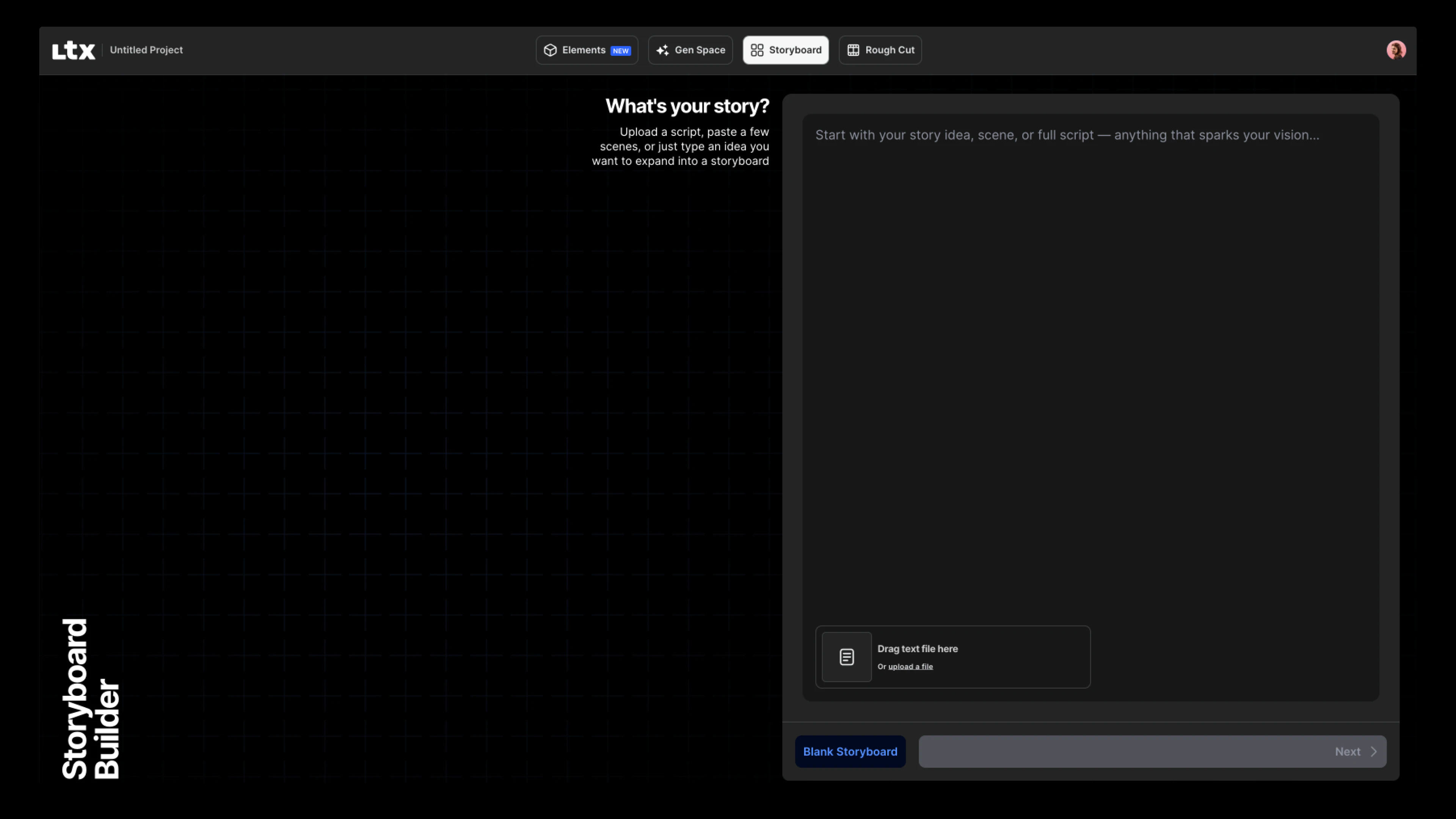
Every storyboard begins with a script. In LTX, simply paste your screenplay, campaign brief, or creative concept into the platform. The AI automatically divides your script into clear scenes and shots, showing you the number of shots and scripted detail for each—giving you a complete view before generation.
Choose Your Model and Aspect Ratio
LTX gives you control over how your storyboard looks by letting you select the AI model that generates your visuals. Choose from multiple image generation models, including the latest FLUX and Nano Banana options, each optimized for different creative needs—from high-fidelity visuals to fast ideation.

Customize your aspect ratio to match your project format—16:9 for landscape, 9:16 for vertical video, or other formats.
Automatic Element Creation
One of the most powerful features of LTX's Storyboard Generator is automatic element extraction. As your storyboard is generated, the AI identifies and creates:
- Characters — Protagonists, supporting roles, and background figures
- Objects — Products, props, and key items in your story
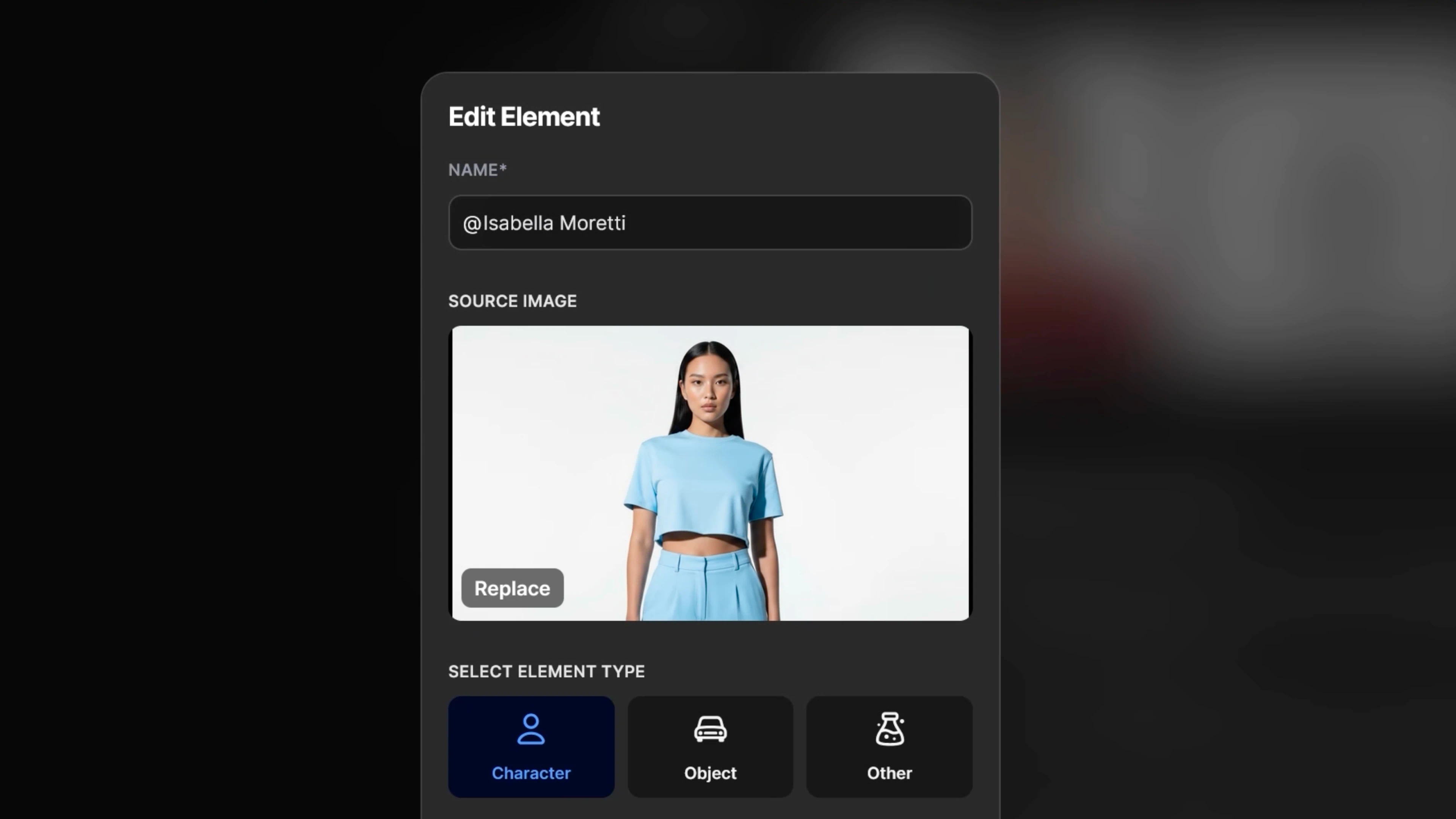
These Elements are saved in your project, making it easy to tag, reuse, and maintain consistency across shots.
Review Shot Breakdowns
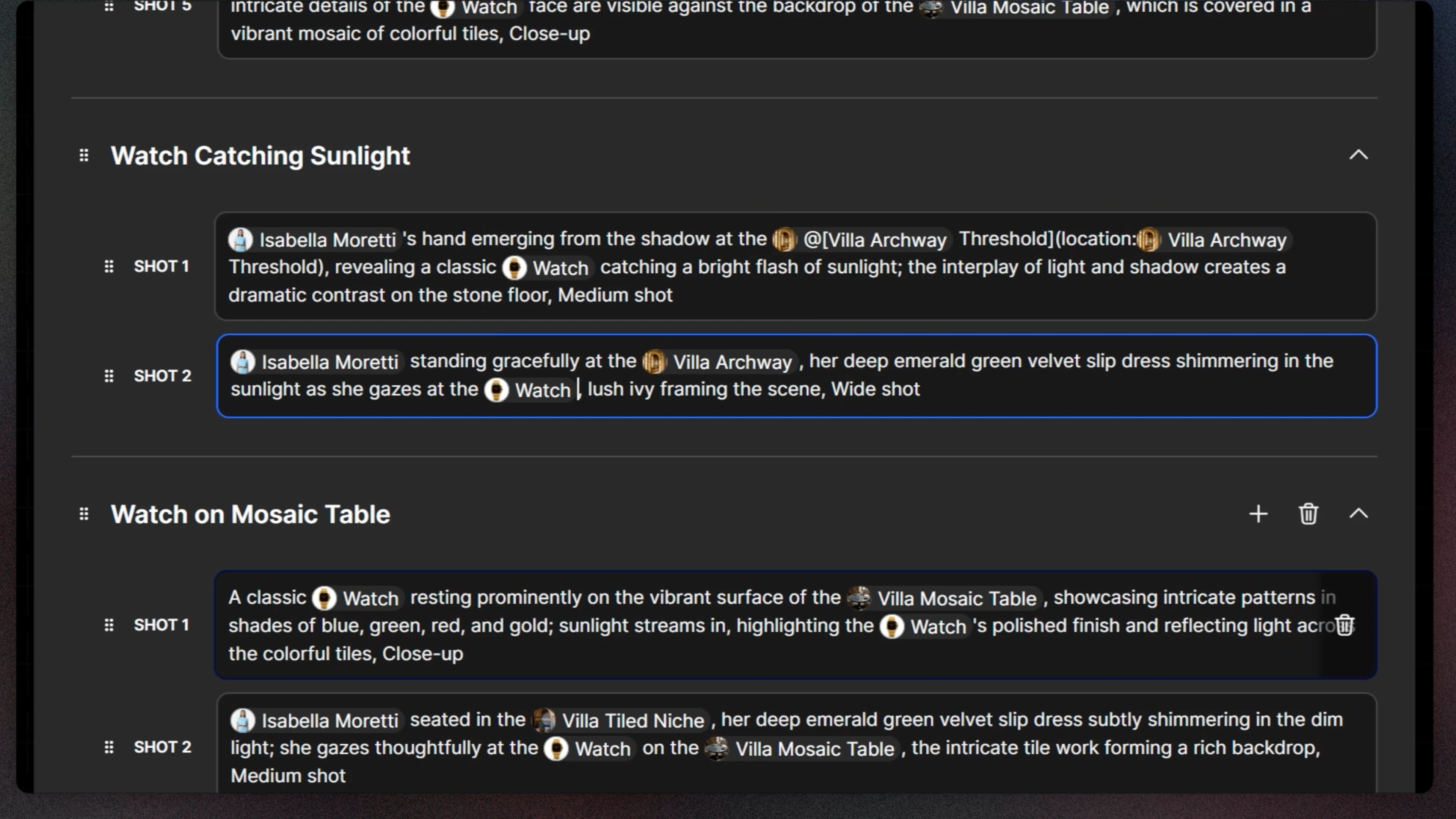
Before generating your storyboard, LTX shows you exactly how your script is structured with a detailed shot breakdown. See the number of scenes, shots per scene, and scripted details for each frame—giving you the opportunity to make adjustments before generation.
Improved Story Alignment
Enhanced AI accuracy keeps your visuals closer to the written script, producing more concise and coherent storyboards. This improved story alignment ensures that what you've written translates accurately into visual form.
How to Storyboard for Animation
When storyboarding for animation, it's especially important to emphasize motion and pacing. Use annotations or arrows to indicate movement, and consider creating an animatic—a rough animated version of your storyboard—to test the flow.
Keep in mind that storyboards are living documents, so stay flexible and open to feedback as your vision evolves throughout the development process. Finally, embrace early collaboration by sharing your storyboard with your team for input, which ensures alignment before moving into production. This collaborative approach combined with clear visual communication will help you develop a more effective and actionable storyboard.
Storyboarding for Different Creative Needs
For Brands and Agencies
Brief in. Ad out. Storyboard Generator turns campaign briefs into structured, editable storyboards. It automatically builds Elements for characters, products, and scenes, ensuring visual consistency across every shot and asset. The result? Faster ideation, on-brand storytelling, and seamless flow from concept to production.Storyboard Tips
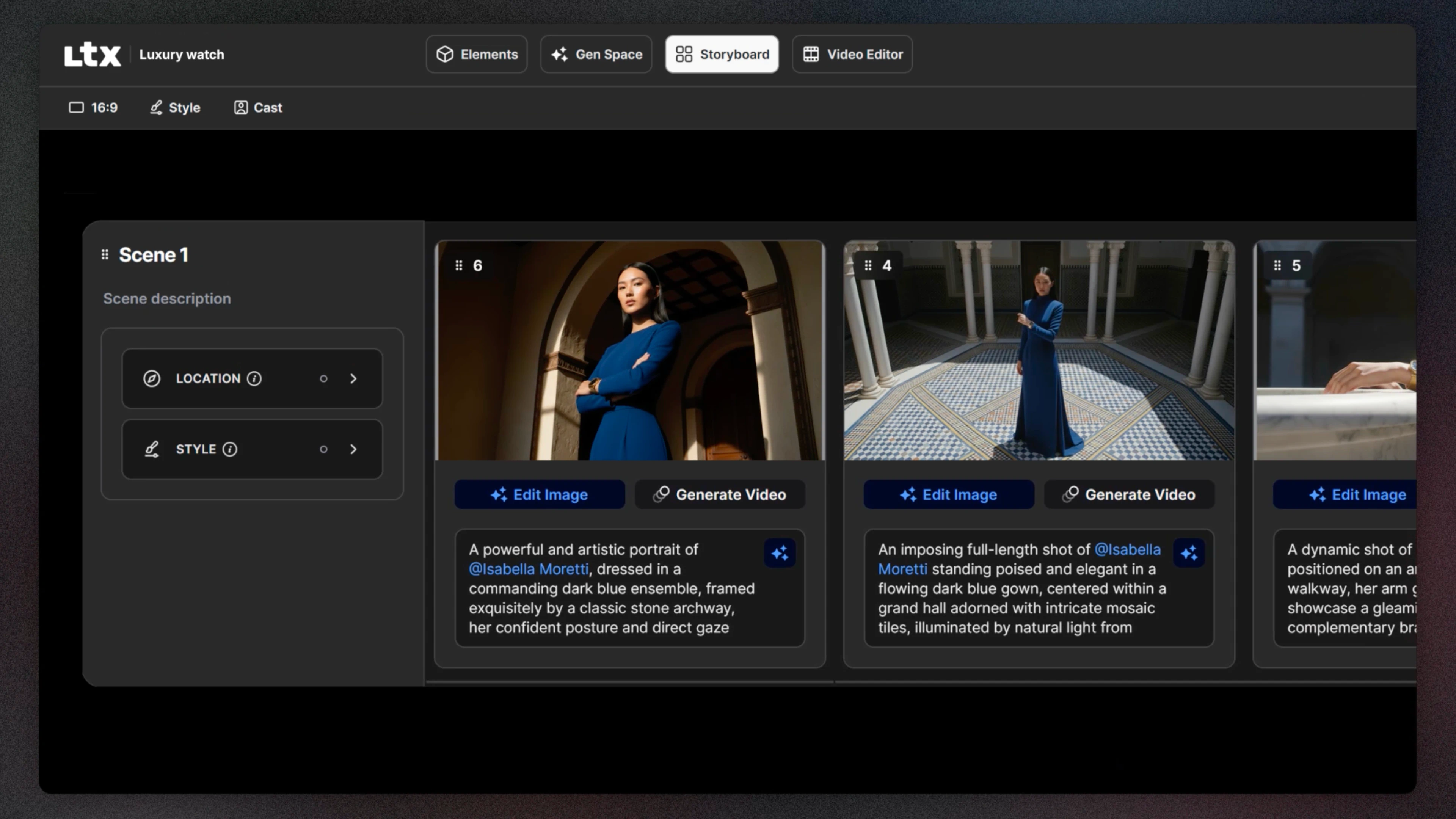
For Film and Pre-Production
Concept to Pitch. Script Generator transforms scripts into organized storyboards with clear shot breakdowns and scene structure. It automatically creates Elements for characters, objects, and locations, ensuring continuity and cohesion throughout your film. A precise, efficient pre-production process, ready for direction, review, or generation.
Storyboard Tips
To create an impactful storyboard, keep these tips in mind:
Clarity Over Detail: Your storyboard doesn't need to be an artistic masterpiece. Focus on communicating the story clearly—LTX's AI handles the visual generation while you focus on narrative flow.
Think Visually: Frame scenes cinematically, considering angles, composition, and depth to enhance storytelling. Use the shot breakdown feature to plan your visual narrative before generation.
Stay Flexible: Storyboards are a living document—be open to feedback and adjustments as your vision evolves. LTX makes it easy to regenerate shots or adjust Elements as needed.
Collaborate Early: Share your storyboard with your team for input, ensuring alignment before moving into production or more advanced stages.
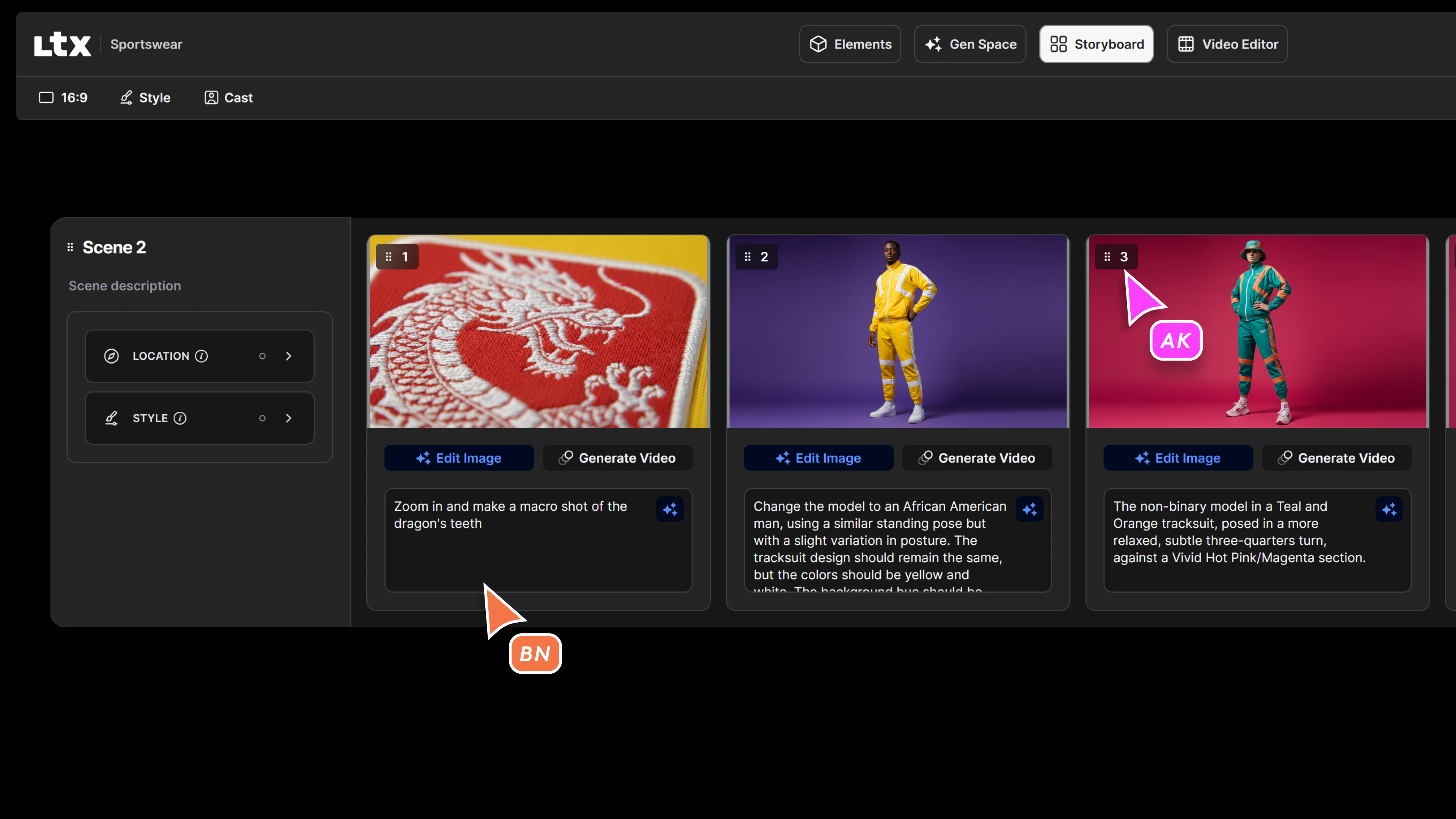
From Concept to Production
Traditional storyboarding can take hours or even days. LTX’s Storyboard Generator streamlines the entire process, delivering structured storyboards directly from your script. With automatic element creation, clear shot breakdowns, and improved AI alignment, you get production-ready storyboards faster than ever—without sacrificing creative control.
Whether you're outlining a full-length feature or a 30-second ad, LTX helps you stay organized and efficient, transforming how you move from concept to production.
Related posts

How To Storyboard FAQs
What is a storyboard and why is it important?
A storyboard visually maps out your story scene by scene, serving as a blueprint for your project that includes frames, scene descriptions, camera directions, and dialogue. It's a planning tool that helps creators communicate their vision clearly to teams and stakeholders before moving into production.
How do you create an effective storyboard?
Focus on clarity over artistic detail to communicate your story effectively, think visually by framing scenes cinematically with careful attention to angles and composition, stay flexible as storyboards evolve with feedback, and collaborate early by sharing with your team to ensure alignment before production.
What should be included in a storyboard?
A comprehensive storyboard includes frames representing crucial moments, scene descriptions providing essential context, camera directions indicating movements like pans or zooms, and dialogue with sound elements including key lines or effects that complement and enhance the visuals for a complete production blueprint.