
- Start with a clear objective—vague prompts produce weak results while specific details guide AI toward your creative vision
- Include action, descriptive language, camera angles, and movement in every prompt for cinematic-quality outputs
- Balance specificity with conciseness—avoid both overly vague and unnecessarily complex prompts
- Iterate and refine prompts based on results rather than expecting perfect outputs on the first attempt
AI makes video and image generation accessible to everyone. But the quality of AI-generated content depends entirely on one skill: writing effective prompts.
A prompt is your blueprint—it shapes how AI transforms ideas into visuals. Vague instructions produce generic results. Specific, well-structured prompts generate professional content that matches your creative vision.
This guide breaks down the essential techniques for writing prompts that deliver high-quality images and videos in platforms like LTX Studio.
What Makes a Good AI Prompt
Every effective prompt begins with clarity. The more specific your instructions, the better the output.
Think of prompting like giving directions. "Go to the store" is vague. "Drive to the grocery store on Main Street, park in the south lot, and buy organic milk" is specific and actionable.
AI works the same way. Compare these examples:
| Bad Prompt | Good Prompt |
|---|---|
| Give me a recipe | I need a vegetarian dinner recipe that takes under 30 minutes and uses no more than 10 ingredients |
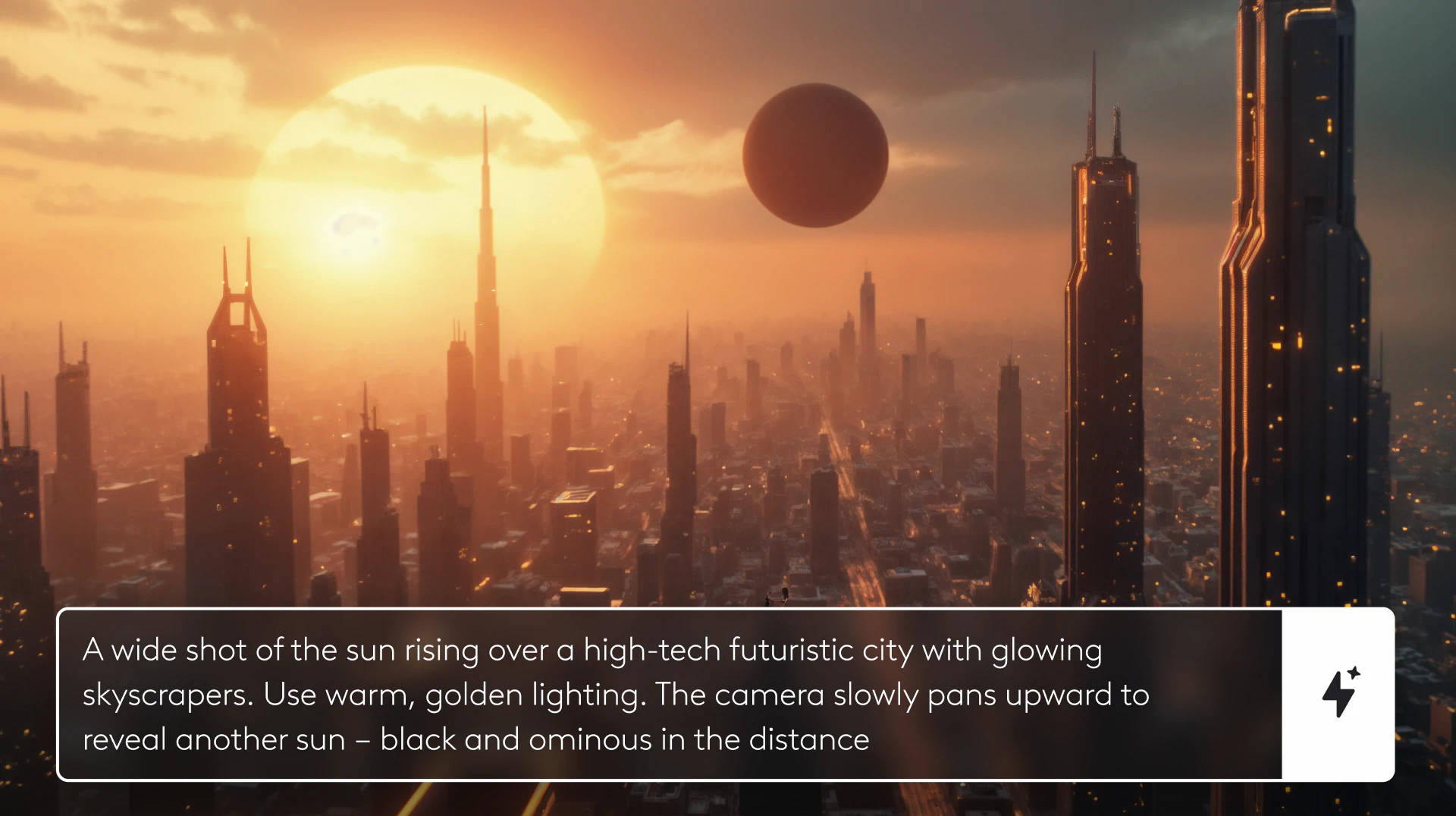
| Show a sunrise in a city | Create a wide shot of the sun rising over a high tech futuristic city with glowing skyscrapers, warm golden lighting, and a slow upward camera pan revealing a second ominous black sun in the distance |
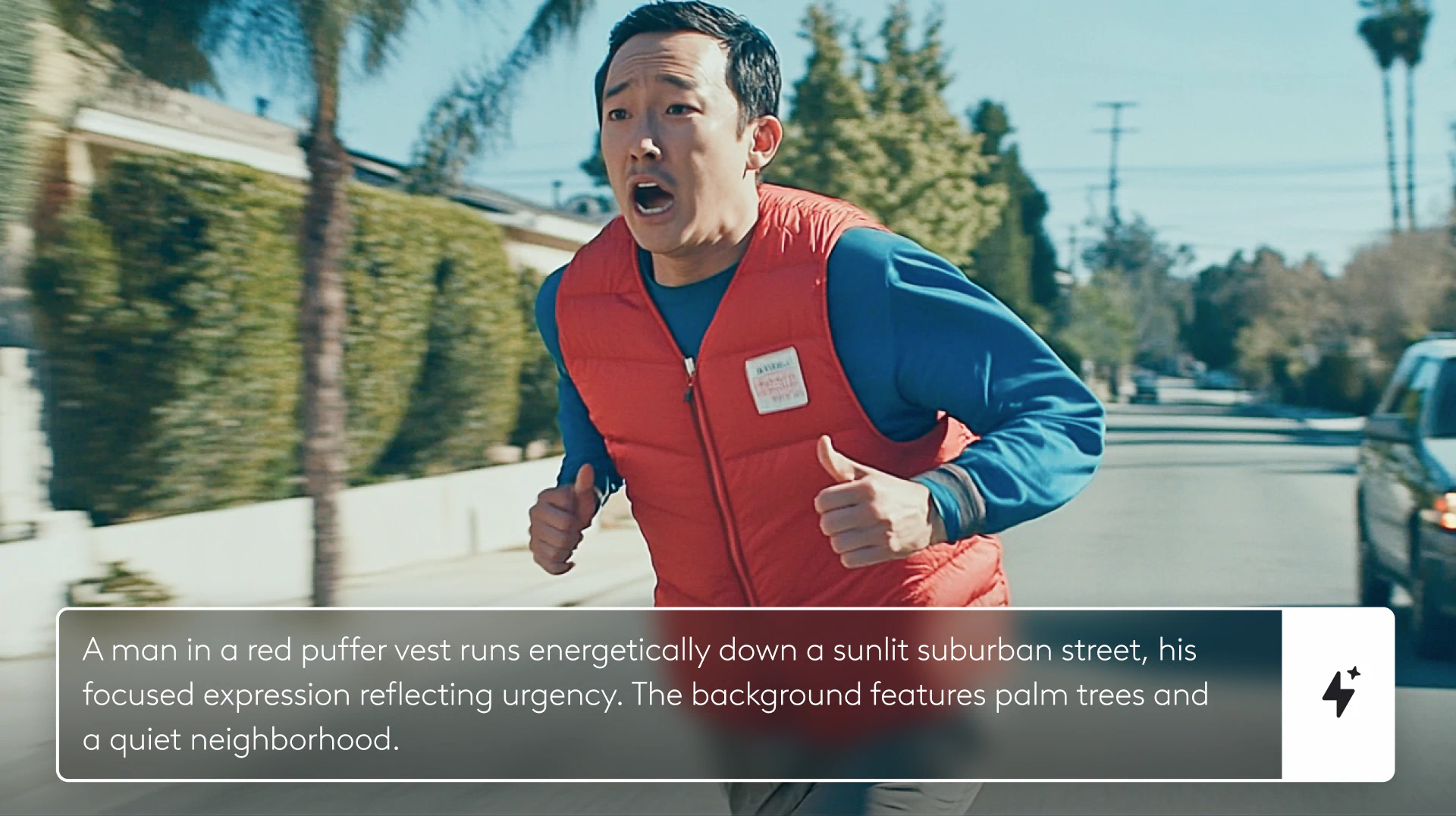
| Make a video of someone walking | Medium shot tracking a woman in a red coat walking through a crowded Tokyo street at night, neon signs reflecting in puddles, handheld camera following from behind |
The difference is obvious. Bad prompts lack detail and direction. Good prompts include specific descriptors, clear intent, and quantifiable details.
Three Principles of Effective Prompts
Be direct about your objective
State exactly what you want without ambiguity.
Use specific descriptors
Describe visual elements with precise adjectives—colors, textures, lighting, mood.
Add quantifiable details when possible
Include numbers, dimensions, durations, and measurements to eliminate guesswork.
These principles apply to all AI prompting, but they're especially critical for video and image generation where visual precision matters.
How to write video and image prompts
Once you have a clear objective, build out your prompt with the essential elements that define visual content.
The Five Core Components
Action
What is happening in the frame? Movement, behavior, interaction—describe the activity clearly.
Descriptive Language
Use adjectives that establish tone, atmosphere, and visual style. "Elegant," "gritty," "ethereal," "chaotic"—these words guide the AI's aesthetic choices.
Camera Angles
Specify framing: close-up, wide shot, medium shot, extreme wide, overhead, low angle. Camera position dramatically affects how viewers experience the scene.
Camera Movement
Is the camera static, panning, tilting, tracking, or zooming? Movement adds dynamism and directs attention.
Character or Subject Movement
How are subjects moving within the frame? Walking, running, turning, gesturing—describe the motion clearly.
Thinking through these elements before prompting helps you translate creative vision into concrete instructions.
Example Breakdown
Let's build a prompt for a futuristic city sunrise shot:
Objective: Show a dramatic sunrise over a sci-fi cityscape
Action: The sun rising above the horizon
Descriptive Language: High-tech, futuristic, glowing skyscrapers, warm golden light
Camera Angle: Wide shot capturing the full skyline
Camera Movement: Slow upward pan revealing more of the sky
Additional Detail: A second black sun appears in the distance (narrative element)
Final Prompt: "Wide shot of the sun rising over a high-tech futuristic city with glowing skyscrapers. Use warm, golden lighting. The camera slowly pans upward to reveal another sun—black and ominous in the distance."
This prompt gives AI everything it needs to generate the exact visual you're imagining.
Writing Prompts in LTX Studio
LTX Studio transforms text prompts into professional video content. The platform's intuitive interface makes it easy to input prompts and refine results.
The LTX Studio Workflow
Start with your concept
Input your descriptive prompt directly into the prompt box.
Include key elements
Make sure you've covered action, descriptive language, camera angles, and movement.
Use motion controls
LTX Studio offers keyframe control to fine-tune camera movements and adjust timing for precise motion.
Iterate and refine
Review initial results and adjust your prompt based on what works and what doesn't.
Export and share
Once you're satisfied, export in formats like MP4 for distribution.
LTX Studio's text-to-video capabilities mean you can go from written concept to finished video without filming anything.
Common Prompting Mistakes to Avoid
Even powerful AI tools struggle with poorly constructed prompts. Here are the most common errors and how to fix them.
1. Vague Prompts
Problem: Ambiguity produces disappointing results.
Solution: Add specific details about every visual element.
2. Overly Complicated Prompts
Problem: Too many unrelated details confuse AI and generate inconsistent outputs.
Solution: Be concise. More words doesn't always mean better results.
3. Unrealistic Expectations
Problem: Expecting Hollywood-caliber results in one attempt.
Solution: Treat prompting as iterative. Build on results rather than expecting perfection immediately.
4. Not Setting Limits
Problem: Leaving duration, transitions, or visual effects unspecified.
Solution: Define boundaries clearly—length of shots, types of transitions, specific visual effects.
5. Skipping Iteration
Problem: Accepting first results without refinement.
Solution: Review, adjust, and regenerate. Great prompts emerge through iteration.
Comparing Prompt Quality
Here's how prompt specificity directly impacts output quality:
| Prompt Element | Weak Example | Strong Example |
|---|---|---|
| Objective | Make a video | Create a 15 second product demo showing smartphone features |
| Action | Person walks | Woman in business attire strides confidently through a modern office lobby |
| Camera Angle | Show the person | Medium shot at eye level with centered composition |
| Camera Movement | Move the camera | Slow dolly tracking shot following subject from left to right |
| Descriptive Language | Nice lighting | Soft natural light from floor to ceiling windows with a clean minimalist aesthetic |
| Complete Prompt | Make a video of someone walking | Medium shot tracking a woman in a navy blazer walking confidently through a modern glass office lobby with floor to ceiling windows. Soft natural morning light. Slow dolly shot following from the left. |
The difference in output quality between these prompt styles is dramatic.
Why Prompt Writing Skills Matter
Mastering prompts isn't just about getting better AI results—it's about maximizing efficiency and creative control.
Save time
Well-written prompts reduce the number of iterations needed to get usable results.
Reduce miscommunication
Clear prompts eliminate ambiguity between your vision and the AI's interpretation.
Streamline workflow
When prompts consistently produce quality results, your entire production process accelerates.
Maintain creative control
Specific instructions ensure AI serves your vision rather than producing generic content.
Whether you're creating ad campaigns, pitch decks, or narrative films, effective prompting is the gateway to leveraging AI for high-impact video production.
Conclusion
AI-generated video and image quality depends entirely on prompt quality. Vague instructions produce weak results. Specific, well-structured prompts generate professional content that matches your creative vision.
Start with clear objectives, include the five core elements (action, descriptive language, camera angles, camera movement, subject movement), balance specificity with conciseness, and iterate based on results.
Platforms like LTX Studio make it easy to transform text prompts into professional video content. Combined with solid prompting skills, you have everything needed to produce high-quality visual content without traditional production constraints.
Ready to put these techniques into practice? Start creating with LTX Studio and experience how effective prompts transform ideas into cinematic video content.
Related posts

How To Write A Prompt FAQs
What makes a good AI prompt for text-to-video generation?
A good AI prompt includes specific details like action, descriptive language, camera angles, and movement. Instead of "Show a sunrise in a city," use "Create a wide shot of the sun rising over a high-tech futuristic city with glowing skyscrapers and warm, golden lighting." The more specific and direct your prompt, the better the AI-generated results.
What are common mistakes to avoid when writing AI prompts?
The most common prompt mistakes include being too vague, making prompts overly complicated with unrelated details, expecting perfect results in one attempt, not setting clear limits on length or visual effects, and skipping iteration. Balance specificity with conciseness, and refine your prompts through multiple iterations for best results.
How do you write an effective prompt in LTX Studio?
Start with a clear objective and input your descriptive prompt including key elements like action, camera angles, and motion into the prompt box. Use LTX Studio's keyframe controls to fine-tune camera movements and timing, then iterate and refine until the output matches your creative vision before exporting in formats like MP4.